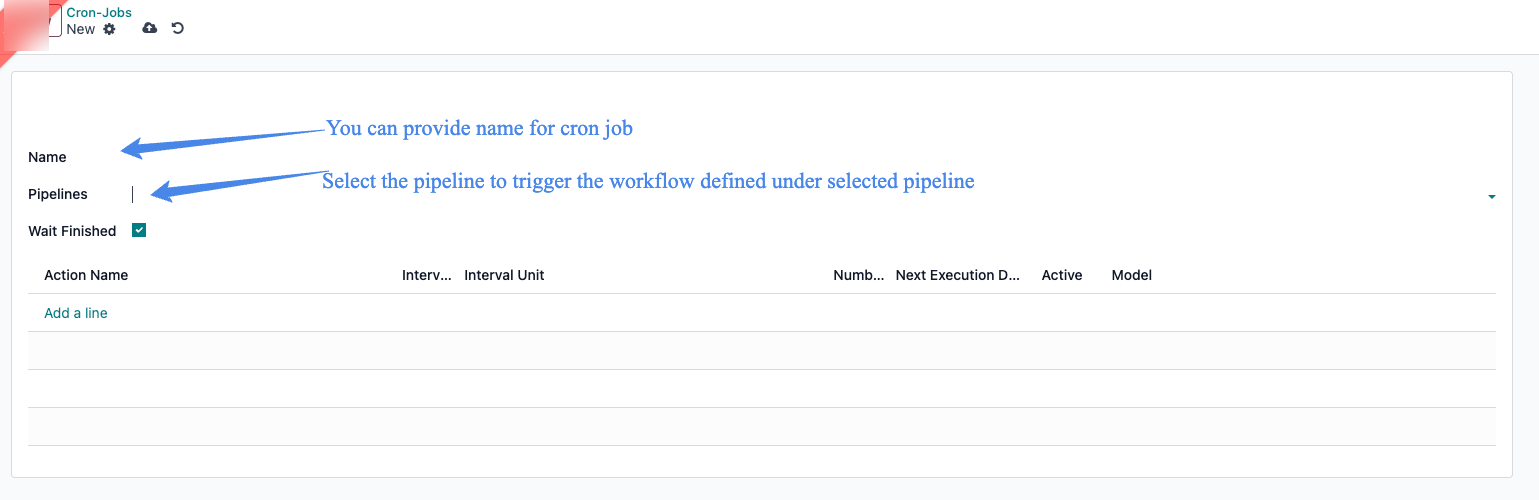
Cron Jobs
zSYNC Cron Jobs / Pipeline Scheduling
🛠 Scheduling Pipelines
There are 2 ways to create/configure schedule action as following.
- Using Menu as per screenshot.
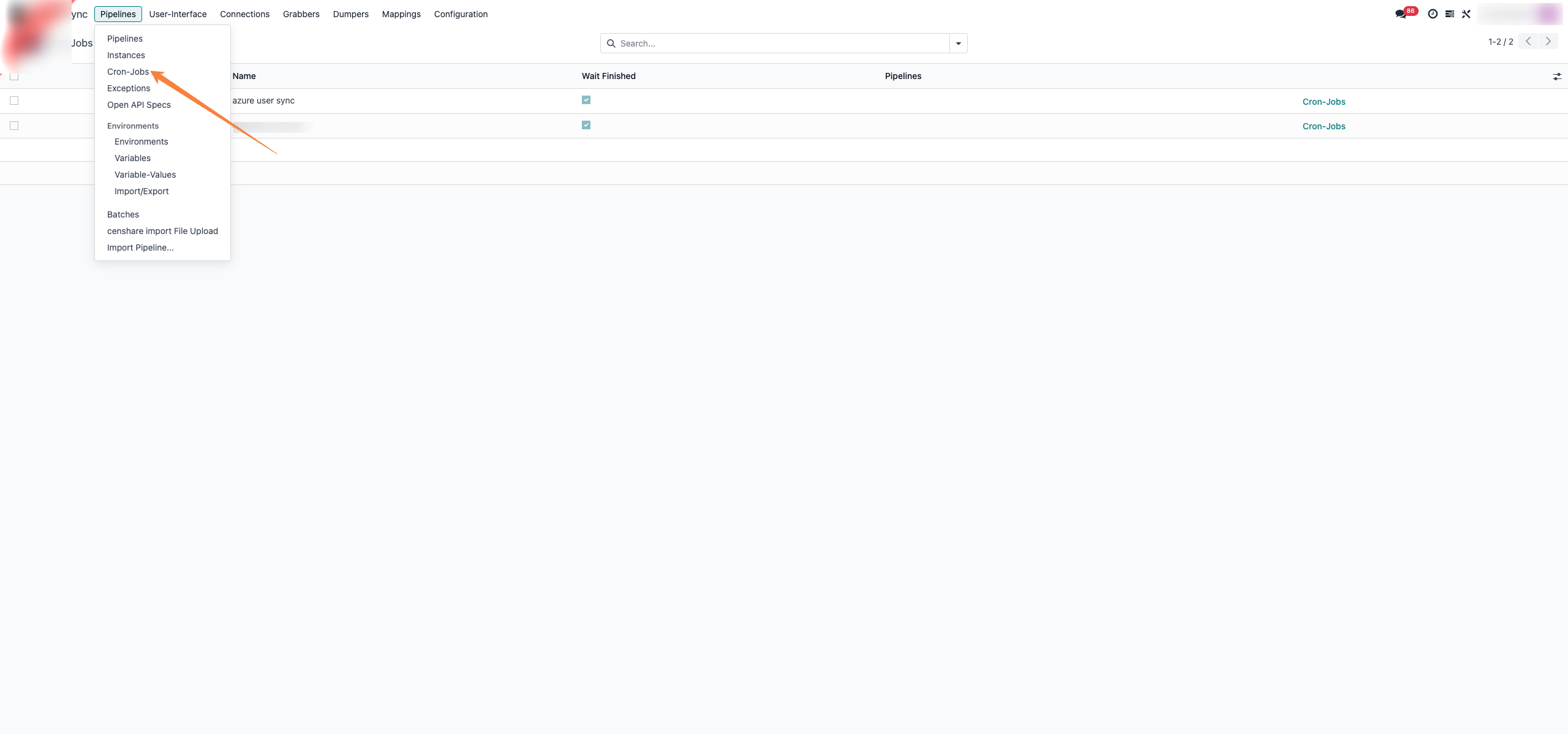
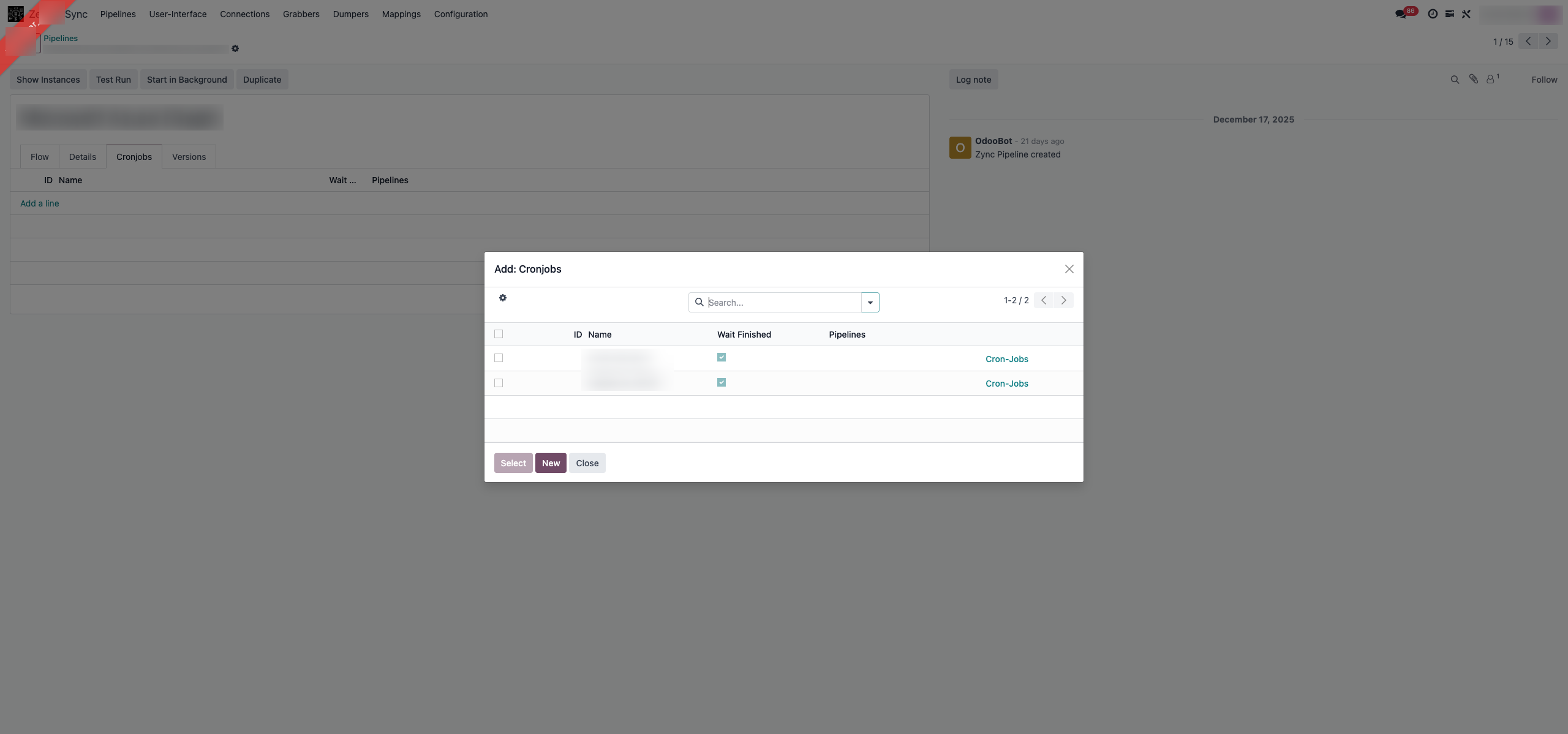
- In zSYNC GUI:
-
Open your zSYNC pipeline.
-
Go to the Cron Jobs tab.
-
Add a new cron job trigger.
-
Configure:
-
Name
-
Interval (e.g., every 5 min, hourly, daily)
-
Next execution time
-
Pipelines to run
-
-
Save and ensure it's Active.

📌 Cron jobs in zSYNC can be paused or run manually from the UI too.
This is basically zSYNC's scheduler that will enqueue pipeline execution automatically.