Benchmarking
zodoo ships a built-in benchmarking tool to find slow computed fields without manual profiling. It reads every field of a model under real database conditions and reports which ones are slow.
odoo benchmark fields <model>
odoo benchmark fields product.product
odoo benchmark fields purchase.order.line
Automatically adjusts the record limit so the full run stays under
--target-seconds (default 20), then measures every field individually.
Options:
-t/--target-seconds: max seconds for the all-fields baseline (default20)-u/--user,-p/--password: Odoo login credentials-H/--host: Odoo host (e.g.stage18-odin.dinmedia.de)-d/--db: database name (default: from project config)
Can be run directly against a remote system with explicit credentials, e.g.:
odoo benchmark fields res.partner -H stage18-odin.dinmedia.de -u it@zebroo.de -p '********'
odoo benchmark curl
Benchmarks the exact fields a slow screen actually requests, using a captured network request instead of guessing which fields to test:
-
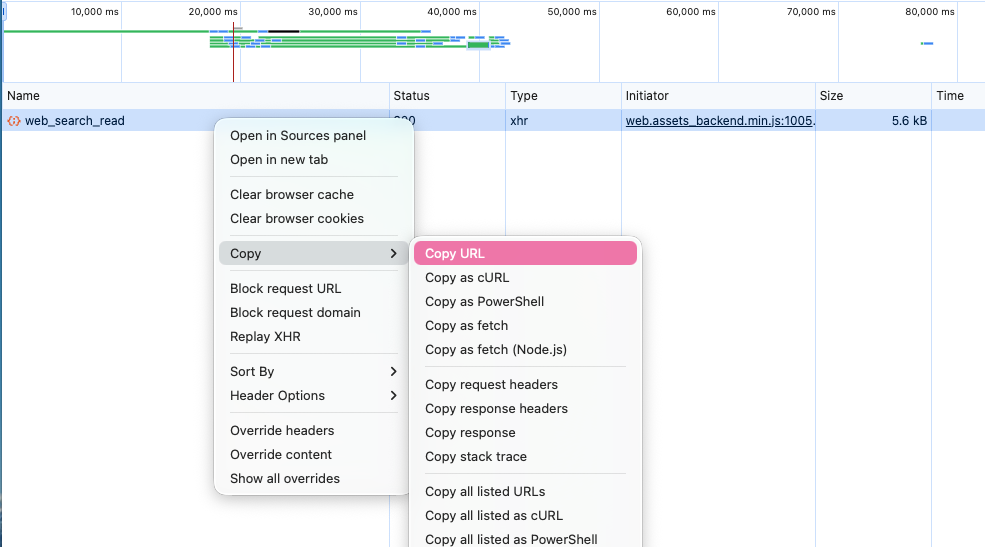
In Chrome DevTools, find the slow
web_search_readrequest for the view that's loading slowly and copy it as cURL. -
Run:
odoo benchmark curl # reads the cURL command from the clipboardpbpaste | odoo benchmark curl # or pipe it in explicitly
Host and session cookie are auto-detected from the pasted curl command, so
no extra login step is needed. Use -u/-p (with optionally -H/-d) to
authenticate with a username/password instead of the captured session.
Case study: pinpointing an 8-second load time
A mid-sized trading company with around 50 Odoo users reported increasingly long loading times in the purchasing and warehouse modules — opening product lists and purchase order overviews caused delays of up to 8 seconds, with no clear indication of which fields or calculations were responsible.
Running odoo benchmark fields product.product and
odoo benchmark fields purchase.order.line against the affected models
showed that two computed fields on purchase.order.line — a custom margin
field and a forecasted stock level field — were being recalculated on every
database access instead of being cached. Both were missing store=True.
After setting store=True on both fields and re-running the benchmark, the
average load time of the purchase order overview dropped from 8 seconds to
under 1 second — the tool pinpointed the issue within minutes, without manual
debugging or a separate profiling setup.
Grabbing the cURL command from DevTools
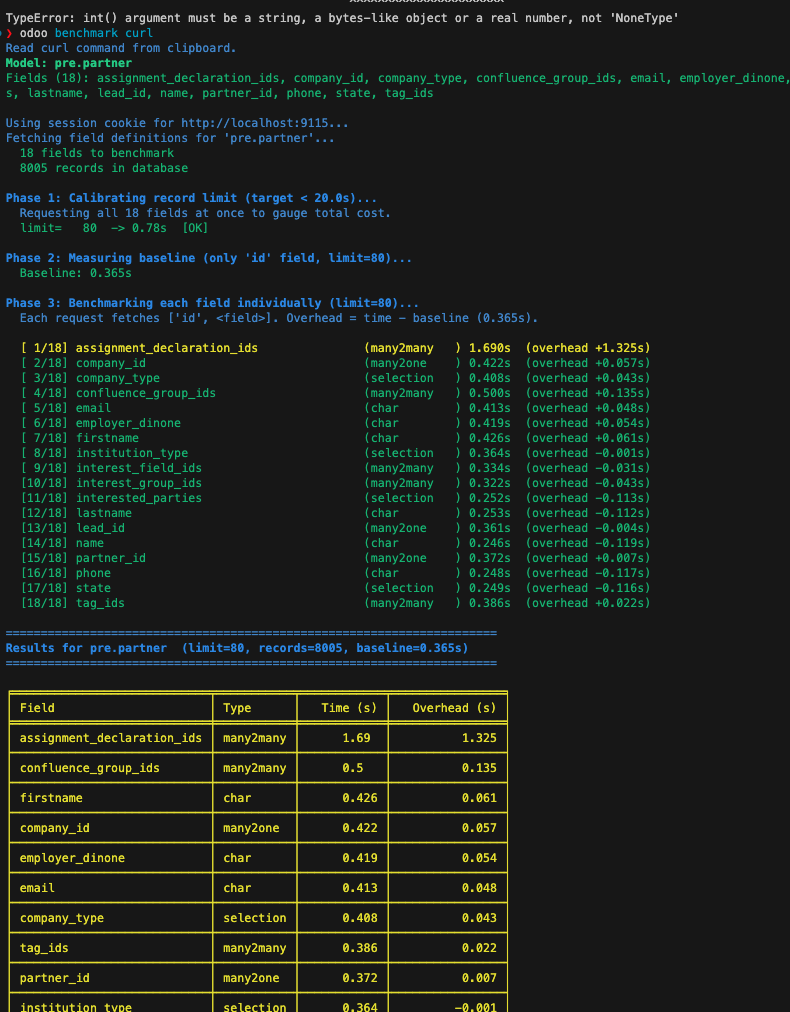
Example benchmark run output
odoo benchmark fields is the fastest way to diagnose field-level
performance issues in an Odoo project — it isolates the slow field without
requiring a manual code review or a full profiler, which makes it practical
to use as a first response whenever a screen is reported as slow.